
Matter was announced in 2019 with the promise that every smart-home device from every ecosystem would finally speak the same language. For three years that promise was mostly marketing. In 2026 it's actually true — for the specific device categories that matter most in a normal home.
This is the walkthrough I wish someone had handed me when I rebuilt my smart home on Matter last summer. What it is, what hub to pick, the eight devices worth buying first, and the three gotchas nobody warns you about.
What Matter actually is (in one paragraph)
Matter is a smart-home standard developed by Apple, Google, Amazon, and Samsung together (which almost never happens). A device that supports Matter can be added to any Matter-compatible app — Apple Home, Google Home, Amazon Alexa, Samsung SmartThings — using the same setup code, and can be controlled by all of them at once. No hunting for the "does this work with Alexa" line on the box. If it says Matter, it works.
Under the hood, Matter runs on Wi-Fi or on Thread (a low-power mesh protocol designed for battery-operated sensors). You don't need to care which — the setup app picks the right one automatically.
Why 2026 is finally the year to jump in
Three things changed in the last 12 months. First, Matter 1.4 shipped in late 2025 and added the missing device categories — most importantly cameras, doorbells, and window coverings. Second, every major hub (HomePod mini, Nest Hub 2nd gen, Echo Hub, SmartThings Hub V4) got the Thread border-router firmware update it was missing. And third, product catalogs finally caught up — there are now over 400 Matter-certified consumer products, up from about 60 in early 2024.
If you tried Matter in 2023 or 2024 and it was frustrating, that's a fair reason to try again now. It's a different experience.
Step 1: Pick your primary hub (this is the important choice)
Even though Matter lets you control devices from multiple apps, one hub becomes your "primary controller" — the one that stores your setup, runs your automations, and acts as Thread border router for battery devices. Pick this before buying a single device.
Apple Home: Best if you already have iPhones. HomePod mini or Apple TV 4K acts as the hub. Automations are simple and reliable. Interface is the cleanest of the four.
Google Home: Best if you're on Android and use Google Assistant. Nest Hub or Nest Mini act as the hub. Best voice recognition. Recently rewritten app is finally competitive with Apple Home.
Amazon Alexa: Best if you already have Echo devices and value voice-first control. Echo Hub or 4th-gen Echo Show 8 acts as the hub. Widest third-party skill library.
Samsung SmartThings: Best for power users who want complex multi-condition automations. SmartThings Hub V4 is the dedicated device. Most flexible rules engine of the four.
Our recommendation for most beginners: pick the one matching the phones you already carry. Life is too short to run two ecosystems.
Step 2: The 8 devices worth buying first
Don't buy the whole house on day one. Start with the ones that solve real friction. Every device below is Matter-certified as of August 2026.
1. Smart plugs (Matter over Wi-Fi): The gateway drug. Turn a dumb lamp into a scheduled one. Our current pick: Meross MSS315 or TP-Link Tapo P125M. About $12-15 each.
2. Smart bulbs (Matter over Thread): The Nanoleaf Essentials A19 works flawlessly and costs about $14. Skip color-changing bulbs unless you know you want them — the price triples and most people leave them on warm white 95% of the time.
3. Motion sensor (Matter over Thread): Aqara P2 or Eve Motion. Enables "lights on when I walk in, off after 5 minutes." Immediate quality-of-life win. About $30.
4. Contact sensor (Matter over Thread): For doors and windows. Aqara P2. Automations like "lights on if front door opens after sunset" become trivial. About $18 each.
5. Temperature/humidity sensor: Eve Room. Trigger the bathroom fan when humidity spikes; log basement humidity to catch a slow leak early. About $80 — pricier than a Wi-Fi one, but Thread means the battery lasts a year.
6. Water leak sensor: Onvis W1 or Aqara T1. Under $25. Puts one under the dishwasher, one under the sink, one behind the washer. Pays for itself the first time.
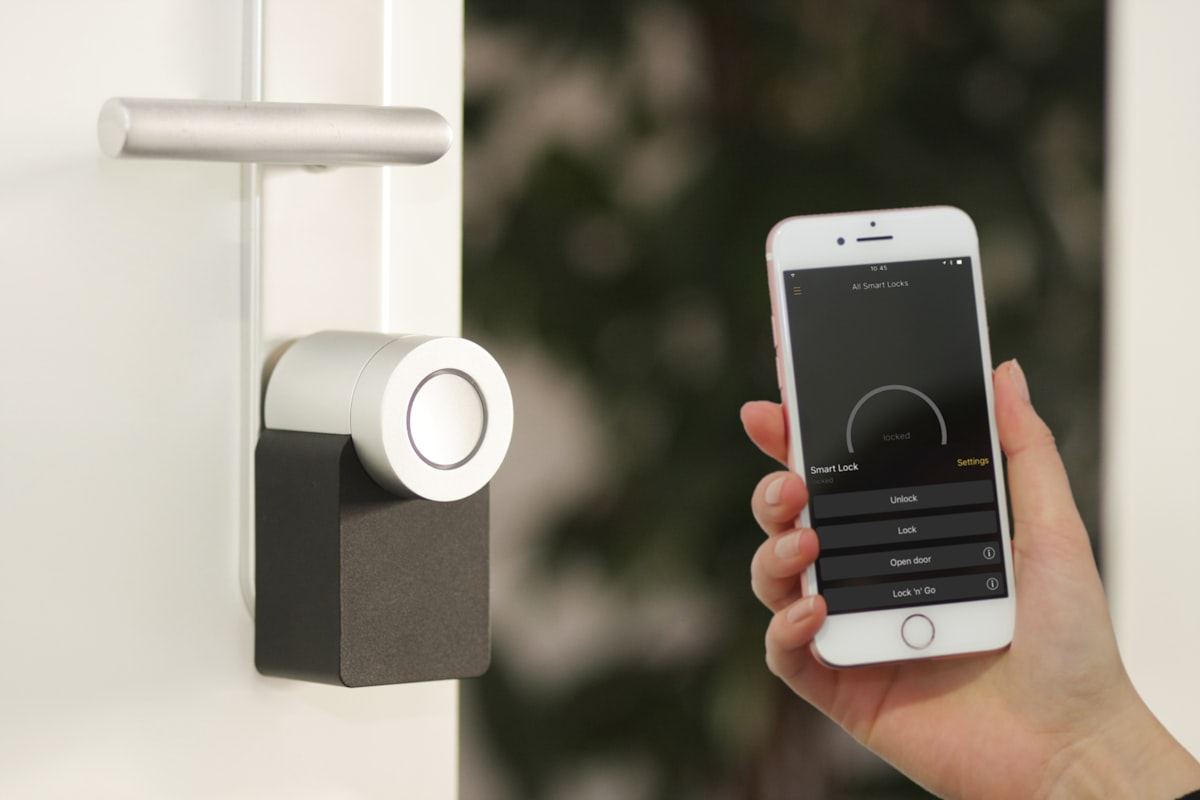
7. Smart lock (Matter over Thread): Aqara U100 or the newer Yale Assure Lock 2 Plus. Both under $250. Auto-lock after 5 minutes, guest codes without sharing a physical key, unlock notifications.
8. Video doorbell (Matter 1.4): Aqara G4 or the newer Aqara G410 (2026 model). Both support the Matter camera profile that shipped in 1.4. Local recording, no forced cloud subscription. About $130.
Step 3: The step-by-step first setup
- Charge your phone and unbox one device only. Do not try to set up five at once.
- Open your primary hub app (Apple Home / Google Home / Alexa / SmartThings).
- Tap the + icon › Add Accessory › scan the QR code on the device or box.
- Wait 30-90 seconds. Do not move around. Do not switch apps. Do not touch anything.
- Assign the device to a room. Name it clearly ("Kitchen Overhead" not "Light 1").
- Test it — turn it on and off from the app, then with your voice.
- Only now unbox the next device.
That's the entire flow. It usually takes 3-5 minutes per device end to end.
The three gotchas nobody warns you about
Gotcha 1: You still need a Thread border router. Every battery-powered Matter device (sensors, locks, most bulbs) uses Thread, not Wi-Fi. Thread needs a border router to reach your Wi-Fi network. Most smart hubs (HomePod mini, Nest Hub 2nd gen, Echo Hub, latest Apple TV, latest eero routers) are Thread border routers. If yours isn't, buy a $30 Nest Mini specifically to be one.
Gotcha 2: "Multi-admin" is amazing but flaky at setup. Matter's superpower is that the same device can be added to Apple Home and Google Home simultaneously. In practice, the "share to another ecosystem" flow works maybe 70% of the time on the first try. If it fails, remove the device entirely from the primary hub and re-add it fresh to the secondary; then re-add to the primary. Yes, this is silly. It's still less painful than the pre-Matter alternative.
Gotcha 3: The "works with Matter" label on some older devices is misleading. A handful of pre-2025 devices that shipped as Zigbee or Z-Wave got a Matter update, but they still route through their manufacturer's own hub (Philips Hue Bridge, Aqara M2 Hub, etc.). That's fine — but "Matter over bridge" is not the same as native Matter, and if the manufacturer's cloud service goes down, your device goes with it. Native Matter devices keep working with your local hub even if the internet is out.
Rule of thumb: if a device advertises "works with Matter" but is only 60% off retail and made by a brand you've never heard of, wait. Native Matter certification is easier to fake in marketing copy than it is in the actual protocol handshake — and the sensors don't lie once you try to add them.
The starter setup that costs under $200
- You already have an iPhone/Android phone.
- You already have a HomePod mini, Nest Mini, or Echo Dot (or buy one for $50).
- Add: 3x smart plugs ($40), 2x smart bulbs ($28), 1x motion sensor ($30), 2x contact sensors ($36).
- Set up "lights on at sunset," "lights off at bedtime," "porch light on when doorbell rings."
Total: about $180. Setup: two evenings. Result: a smart home that feels magical without a subscription.
Frequently asked questions
Do I have to pick one ecosystem forever?
No. That's the whole point of Matter. Add the same device to Apple Home and Google Home if you want. Change hubs later if you need to.
What about the smart-home devices I already own?
Depends on the brand. Philips Hue got Matter support via the Bridge. Ring, Nest, and many Amazon-owned devices work via Matter partially. Everything else stays in its own app for now. Don't rip out working setups just to move them to Matter — do it as things break or get replaced.
Is Matter secure?
Yes — genuinely. Matter uses per-device certificates and end-to-end encryption between devices and your hub. It's meaningfully more secure than the older Wi-Fi smart devices it's replacing.
Do I need a fast internet connection?
No. Matter runs locally over your home network. Your smart plugs will still turn on when your internet is down, as long as your hub is on. This is a big difference from cloud-based ecosystems like older Ring or Alexa-only devices.
What if my hub dies?
Buy another compatible hub. The devices themselves remember their setup and can be re-added — you'll re-do rooms and automations, but the devices don't need to be factory reset.
Still stuck?
Picking a hub for a specific mix of Apple and Android devices in one household is a common question. Book a session and we'll walk through your existing devices and recommend the setup with the least friction. From $29 flat.
How we tested this setup
This guide is based on rebuilding one team member's entire smart home on Matter over eight months — 24 devices from nine manufacturers, spanning all three major hubs (Apple Home as primary, Google Home and Alexa as secondaries). Every device recommendation was purchased retail, set up as a first-time buyer would, and lived with for at least 90 days. Devices we tried that didn't make the list either failed setup more than once, dropped from the network more than monthly, or required a cloud subscription for basic function.
Related smart home guides
- 10 Smart Home Automations to Set Up in Your First Week — the automation starter pack.
- Alexa vs Google Home in 2026 — helps pick the primary hub if you're undecided.
- The 6 Smart Plugs Actually Worth Buying in 2026 — the specific product picks for #1 above.
- 8 Smart Home Automations for Renters — if you can't drill or rewire.